A beauty salon near me search usually comes from someone who has already decided to spend money today. They want a facial before a function, threading on the way home from work, a pedicure on a free afternoon, or a bridal trial the week before the wedding. The job of your listing is to answer four questions faster than the parlour down the road: how far is it, is the work good, what does it start at, and can I get a time. This guide walks through each answer, then shows how bookings and walk-ins should share one queue so the visit you won actually happens.
Key takeaways
- Local searchers decide on distance, proof, price, and open time.
- Pick a category that matches the work you actually perform.
- Photographs of clean rooms and real work build more trust than claims.
- Booked clients and walk-ins belong in one honest queue.
What a beauty salon near me search is really asking
The phrase hides a shortlist. Most people running this search are not researching beauty in general — they are asking whether a parlour nearby can do one specific thing, at one specific time, for a price they can live with. Map results answer distance and hours instantly; your photos answer quality; your services list with first prices answers cost; and the booking link answers the last question, which is availability.
Read that sequence and the work becomes concrete. Each element of your profile maps to one question, and a missing element leaves one question unanswered — which the customer answers by tapping the next result. Notice also that the search ends quickly: a customer who cannot see an open time does not wait for you to call back, because three more parlours are still visible on the same screen.
The results page and the right category
The first screen shows a map pack with a handful of names, ratings, distances, hours, and actions. Category decides whether you appear in it at all: a parlour listed under a general retail category competes with shops, not with other parlours. Choose a primary category that matches most of your revenue — beauty salon or beauty parlour — and add secondary categories only for services you genuinely offer and staff every week. Search systems read those fields along with your name, address, phone number, and hours, and the schema.org BeautySalon type documents the structured data a salon page can publish about itself.
Everything below the map still matters. Instagram shows current work, a marketplace shows a price, a directory repeats your address — and each of those must agree with your listing. Inconsistent hours or two slightly different names make both customers and search systems unsure which entry is real, and uncertainty in local results is resolved by moving on. Google's guidance on booking links for business profiles explains the reservation step your listing should offer once a customer chooses you.
What visitors check before they come in
For parlour customers, the checklist is longer than for a quick haircut, because the visit is personal. They look at the room they will sit in, the tools that will touch their skin, and whether the place looks busy at the hour they plan to arrive. Give them that evidence before they ask:
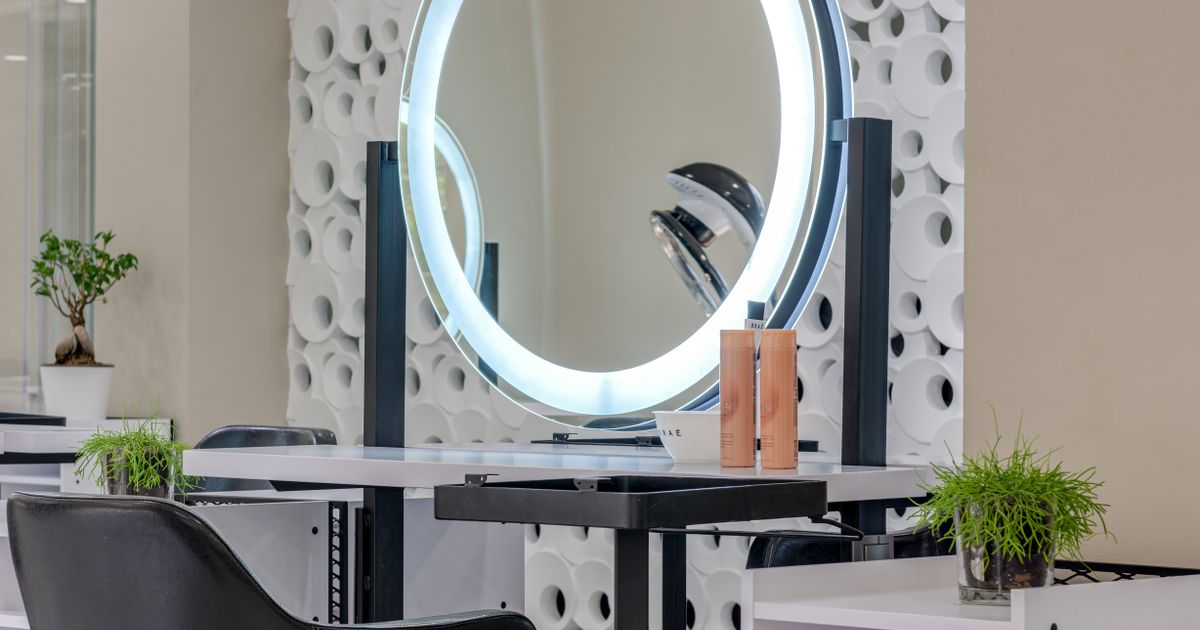
- The room — treatment bed, wash area, and waiting space photographed in daylight, with no clutter.
- The tools — sterilised pouches, fresh linen, single-use items, and clean bins visible in at least one photo.
- The list — services with starting prices: threading, waxing, facial, clean-up, mani-pedi, hair services, and bridal packages.
- The hours — including festival weeks and any late evening slots you actually staff.
Keep the price band visible even for services you quote at consultation. Salons that publish a first price receive fewer price-only messages and more arrivals already comfortable with the budget, and they spend far less of the day explaining the same three numbers on the phone.
One queue for bookings, walk-ins, and baskets
A customer who finds you through a beauty salon near me search is rarely booking a single service: they book a facial and add threading, or walk in for a pedicure and stay for a polish. The schedule breaks when booked slots and walk-ins are handled separately: the receptionist writes a name on a pad, a technician runs late, and three people wait with no idea whether they are next or forgotten.
The fix is one queue with two entry points. Booked customers pick an exact time and receive a confirmation and a reminder; walk-ins take a token at the counter and see the current wait and the running delay. Both groups watch the same live status, so a 20-minute overrun is explained honestly instead of discovered at the chair. Services inside the visit need their own durations — a 60-minute facial must never sit in a 30-minute slot — and a basket of services should be booked as one appointment with the total time counted. Our salon booking system guide covers the front-desk flow, and our appointment booking for salons guide shows how durations, reminders, and no-show rules are set up.
Photos, reviews, and quick replies that build trust
Trust in local search is built from small, repeated signals. Post one new photograph of real work each week — a finished facial setup, a bridal look, a tidy pedicure station — and rotate the cover image with the season. Reply to every review within a day, including the negative ones, and resolve complaints in public rather than in messages: a calm reply under a two-star comment often persuades more customers than the two-star comment deters.
Ask for reviews at the right moment — when the customer is paying and pleased — and make it easy with a direct link rather than a search instruction. Answer messages fast during working hours; most local searches go to the first parlour that replies. When you are closed, an automatic confirmation with the booking reference keeps the enquiry from drifting to a competitor overnight. Reviews, replies, and confirmations together form the reputation that your listing then advertises.
A seven-day local visibility plan
Day 1: Claim and verify the profile. Set the primary category, name, address, phone, and this week's hours exactly as they appear on your website.
Day 2: List your services with starting prices and realistic durations, and add the booking link to the profile, website header, and social bios.
Day 3: Shoot twelve photographs on a phone in daylight: the room, the tools, the products shelf, and four recent results. Upload the best six.
Day 4: Request reviews from ten customers from the last fortnight and reply to every existing review, including the old ones.
Day 5: Test the booking yourself from two phones. Confirm the slot list is real, the confirmation arrives once, and the counter QR code opens the same availability.
Days 6–7: Print the QR, brief the team on the token flow for walk-ins, and review the first weekend's numbers: bookings from the listing, average delay, no-shows, and the services that filled fastest.
Small businesses should also keep registrations and paperwork current while they grow; the india.gov.in portal collects central and state information useful to owners formalising a local service business.
Mistakes that lose parlour bookings
Four errors account for most lost local bookings. The first is a category chosen for convenience rather than the work you do. The second is a price list that exists only at the counter, which turns every enquiry into a negotiation and every customer into a risk for both sides. The third is availability that is either missing or unbelievable — a page open six months ahead that nobody can actually staff. The fourth is silence: no reply to reviews, no reply to messages, no confirmation after a booking, so the customer never feels sure.
Related shortcuts hurt more than they help. Bought followers and paid reviews inflate numbers while leaving real trust untouched, and duplicate profiles for the same parlour split your reviews across two entries. One accurate profile, updated weekly, consistently beats three half-finished ones.
Conclusion: be the closest result that can be booked
Winning a beauty salon near me search is a sequence of small promises kept: the category is right, the hours are current, the photos are yours, the first price is visible, and the next free slot is one tap away. Work through the seven-day plan, keep one honest queue for bookings and walk-ins, and review two numbers every week — new bookings from local search and repeat visits from reminders. See how the system works at queue management and appointment booking software from SWIQ, or book a free demo and take your own busy Saturday through it with our team.
Practical next step: open your listing on a phone, search your main service plus "near me", and check whether a stranger can see your price and your next free time without calling you.
Related SWIQ pages: Queue management software India · Book a free demo · salon booking system · appointment booking for salons
Frequently asked questions
What do customers expect from a beauty salon near me search?
They expect four answers fast: distance, proof from recent photos and reviews, a starting price for the service they want, and an open time today or tomorrow. A complete business profile with a booking link that shows live availability supplies all four at once.
Which category should a parlour choose on its listing?
Pick the primary category that matches most of your work, usually Beauty salon or Beauty parlour, and add secondary categories for the other services you genuinely offer. Avoid categories you cannot honour, because they bring the wrong searchers and weaken the listing.
How do I show hygiene and safety in my listing?
Photograph your clean rooms, fresh linen, sealed or sterilised tools, and ventilated treatment areas, then publish those photos on the profile and booking page. State your tool policy in one line and keep the images recent, because hygiene is the first thing a new client checks.
Should a beauty salon serve walk-ins and bookings together?
Yes, on one availability. Booked customers choose an exact slot, while walk-ins take a token and join the same live queue with an honest wait. Mixing the two keeps the room full without pushing either group into an unexplained delay.
Can SWIQ handle local bookings and walk-in queues?
Yes. SWIQ provides a mobile booking page with availability you approve, QR check-in for walk-ins, live tokens with running delay updates, reminders, staff logins, and reports on no-shows and remaining capacity, so local searches turn into attended visits.
See SWIQ in action
Explore provider-controlled availability, QR booking, live tokens, delay tracking, staff access, and enterprise dashboards.
Book a free demo