
Every day, thousands of people type salon near me and pick from whatever appears in front of them. Some are looking for a quick trim before work, others for a bridal trial, others for a pedicure on a Sunday evening. The winning salon is rarely the fanciest; it is the one that is easy to find, easy to trust, and easy to book. This guide shows Indian salon owners how that short local journey works, what to fix at each step, and how to connect the interest you already have to chairs that are actually filled.
Key takeaways
- Correct categories and hours decide whether you appear at all.
- A clear service menu with durations converts browsers into bookings.
- Fresh photos and prompt replies beat a perfect five-star average.
- Appointments and walk-ins belong in a single live queue.
What salon near me shoppers expect
The searcher is standing somewhere, often on a footpath, and the whole decision happens on a phone. They expect to see where you are, whether you are open now, what other people said this month, roughly what it costs, and whether a time is free. If any of those is missing, they scroll to the next name on the list without ever visiting your website.
That pattern explains why a salon near me search often ends before anyone opens a website. It also changes how you should think about marketing spend. Paying for attention only matters if the destination answers those five questions. A salons listing that is complete and honest does the selling while you are busy with a client, which is exactly the kind of marketing a small studio can maintain without hiring anyone.
The local pack and your service categories
The map results at the top of the page are decided by relevance, distance, and prominence, and you influence two of those three. Relevance comes from your category and service list: if your category is a general store or a vague "beauty services" label, you will not surface for the specific searches your staff perform every day. Choose one primary category that matches most of your revenue — hair, beauty, nails, or spa — and add secondary categories only for services you genuinely offer.
Distance is fixed, but prominence is not. Prominence grows with consistent business information, real reviews, regular photos, and a website or booking page that search engines can read. Search engines rely on structured data for this, and the schema.org LocalBusiness type lists the core fields — address, opening hours, price range, telephone — that should match your listing word for word. Google's notes on booking links for business profiles describe what a booking action must do to be useful, and the india.gov.in portal is a sensible starting point for small-business registrations that strengthen your official footprint.
Reviews, photos, and replies that build trust
Ratings decide clicks, but recency decides trust. A 4.9 average with its newest review eight months old looks abandoned; a 4.6 with reviews from last week looks busy and honest. Ask for reviews at the moment of satisfaction — when the client is checking out and still happy — and reply to each one in a sentence or two, including the unkind ones. Reply calmly to a complaint and most readers decide you are professional.
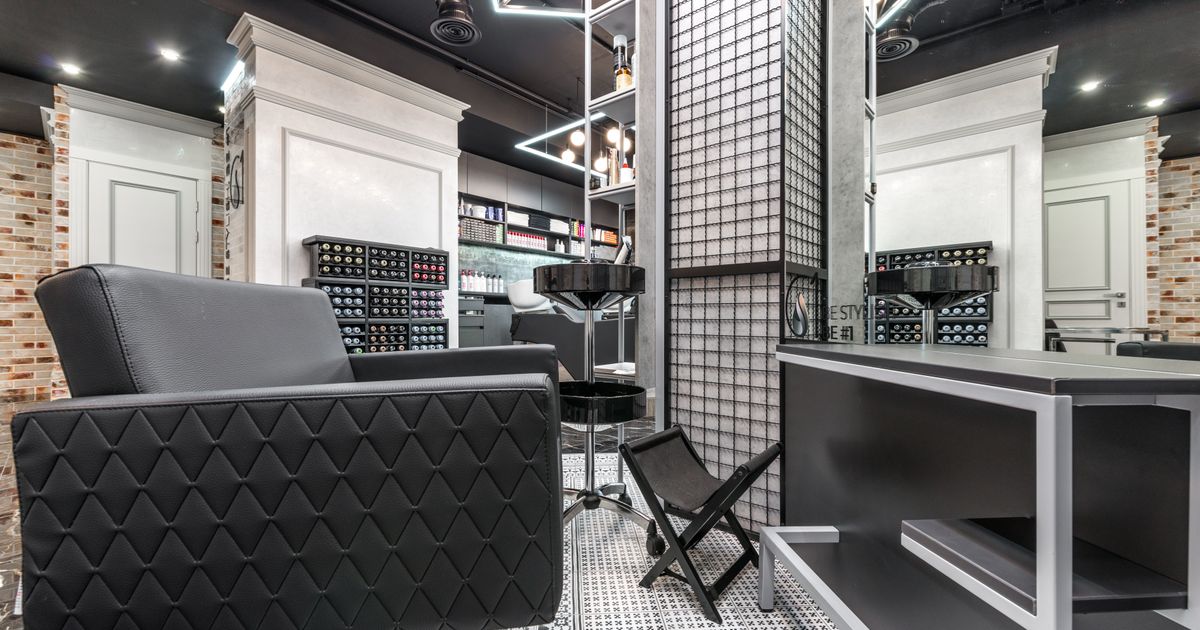
Photos carry equal weight. Publish fifteen to twenty current images: the entrance and board, the interior, the wash area, the nail and facial stations, and recent work by named staff. Members of staff with a following bring their own clients, so naming them in captions and listing them as bookable staff in your calendar is a small change that increases booking. Keep hours exact during festivals and emergencies; wrong hours are the fastest way to earn an angry one-star review from someone who travelled to a closed door.
Appointments and walk-ins in one queue
Indian salons rarely run on appointments alone. The walk-in who arrives at 6 pm is as valuable as the client who booked at 6 pm, and the trouble starts when the two groups are tracked separately. Keep one list: booked clients hold exact slots, walk-ins take a token, and a screen shows the current token and an honest delay. Staff stop juggling paper, and clients stop asking "how long will it be?" every four minutes.
Behind that, you need availability you control — approved dates and shifts, service durations, breaks, and a daily cap — plus reminders, cancellation rules, and separate logins for each staff member. Add a QR code at the counter so a walk-in can join the queue from their own phone while standing at the door. When the day ends, the reports should show attended bookings, no-shows, average delay, and remaining capacity per stylist, because those four numbers tell you what to change tomorrow.
Common problems salons face in local search
The failures we see most often are variations of the same theme: the digital front desk has drifted away from the real one. A second listing exists from an old address and splits your reviews. The description promises services you removed last year. Prices were never added, so every enquiry becomes a negotiation. The booking link opens a page that asks for a name, an email, and a phone number, then sends nothing. Availability was switched on automatically and now shows slots for a technician who left in March.
There are quieter problems too, and they cost you salon near me clicks without ever showing up as an error: one shared password for the whole team, cancellation rules hidden in a PDF, reminders that arrive at midnight, and no report at the end of the month showing whether any of it worked. Each one is easy to fix on its own, and together they are the difference between a listing that earns bookings and one that only earns looks. Fix them in the order they cost you money: wrong hours, missing prices, broken booking link, then reporting.
Conclusion: be the salon they choose
A salon near me search ends with somebody walking through a door. You influence that outcome with correct categories and hours, a service menu that states price and duration, fresh photos, prompt replies, and a booking path that respects the customer's time — appointments and walk-ins flowing through one live queue. Work through those five in order over the next month and you will not only appear more often, you will waste less of the traffic you already have. See how the pieces fit at queue management and appointment booking software from SWIQ, or book a free demo and review your own schedule with our team.
Practical next step: search your main service plus "near me" from outside your shop today, then write down every missing detail — category, hours, prices, photos, booking link — and clear the list this week.
Related SWIQ pages: Queue management software India · Book a free demo · salon booking system · appointment scheduling for salons
Frequently asked questions
What does a customer expect from a salon near me search?
A short list of nearby salons with correct hours, real photos, starting prices, a rating they trust, and a way to reserve a time. Salons that supply all five in the listing get the visit, before the customer opens a website.
Which category should I choose for my salon listing?
Pick the category that matches your main revenue: Hair salon, Beauty salon, Nail salon, or Spa. You can add secondary categories for services you genuinely offer. Wrong or overstated categories send you the wrong searchers and waste your calls.
How many photos should a salon profile have?
Aim for fifteen to twenty current images: the entrance and signage, the interior, each service area, and several recent results from your own team. Replace them monthly so returning searchers see fresh evidence instead of the same old shots.
Can one system handle both appointments and walk-ins?
Yes, and it should. Booked clients hold exact slots while walk-ins take a token and join the same live queue, with one display showing who is next and how long the delay is. Two separate systems create double bookings and arguments at the counter.
How does SWIQ help a salon turn local searches into bookings?
SWIQ gives your salon a fast mobile booking page with provider-controlled availability, QR check-in, live tokens and delay updates, reminders, staff logins, and reports on attendance and capacity, so the interest from local search turns into attended appointments.
See SWIQ in action
Explore provider-controlled availability, QR booking, live tokens, delay tracking, staff access, and enterprise dashboards.
Book a free demo